Portal tour
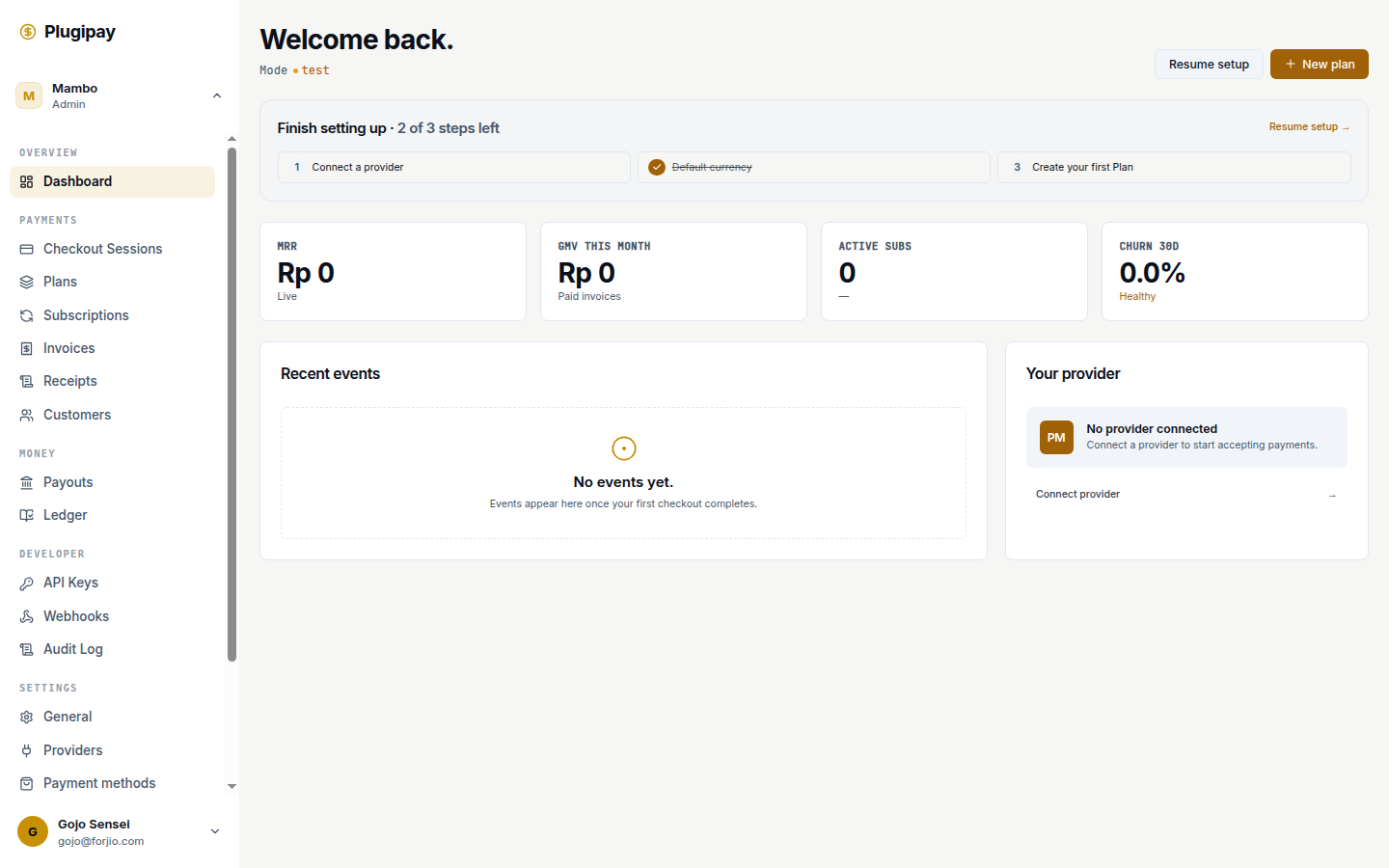
The Plugipay portal at plugipay.com/dashboard is your day-to-day workspace. This section walks through every page in the dashboard with screenshots, common tasks, and tips.
If you're looking for a specific feature, jump straight to it from the sidebar on the left. If you're new, read through this overview first.
Layout
The portal has three main regions:
- Sidebar (left) — primary navigation. Sections: Payments, Customers, Checkout, Subscriptions, Reports, Settings.
- Top bar — workspace switcher, test/live toggle, search, notifications, account menu.
- Main content — the page you're on.
The sidebar collapses on mobile and narrow viewports.
Test vs live mode
The top-bar toggle switches between test and live mode. Everything in test mode is sandboxed:
- Test API keys (prefixed
pk_test_/sk_test_) - Test customers, payments, webhooks
- No real money, ever
Production should use live mode. Development should use test mode.
A clear orange banner appears at the top of the dashboard when you're in test mode so you don't confuse the two.
Workspace switching
Top-left chip shows the active workspace. Click to:
- Switch to another workspace you're a member of
- Create a new workspace
- View workspace settings
Switching is instant — no page reload. The URL changes to reflect the new workspace path.
Common tasks — quick links
| Task | Where |
|---|---|
| Create an API key | Settings → API keys |
| Invite a teammate | Settings → Team |
| Configure a webhook | Settings → Webhooks |
| Take a one-off payment | Payments → New payment |
| Issue a refund | Payments → Refund |
| View payment fees | Reports → Fees |
| Set up subscription billing | Subscriptions |
Every page
- Customers — manage paying users
- Checkout sessions — one-time hosted payment intents
- Plans — recurring offer templates
- Subscriptions — recurring billing instances
- Invoices — receipts of money owed
- Receipts — auto-generated payment receipts
- Ledger — financial reconciliation
- Payouts — settlement to your bank
- Webhooks — event delivery endpoints
- API keys — server-to-server credentials
- Audit log — who did what, when
- Billing — what Plugipay charges you
- Workspaces — tenant boundaries + team
- Settings — providers, methods, templates, business
Next
- CLI overview — do the same things from your terminal.
- API overview — programmatic access.