Subscriptions
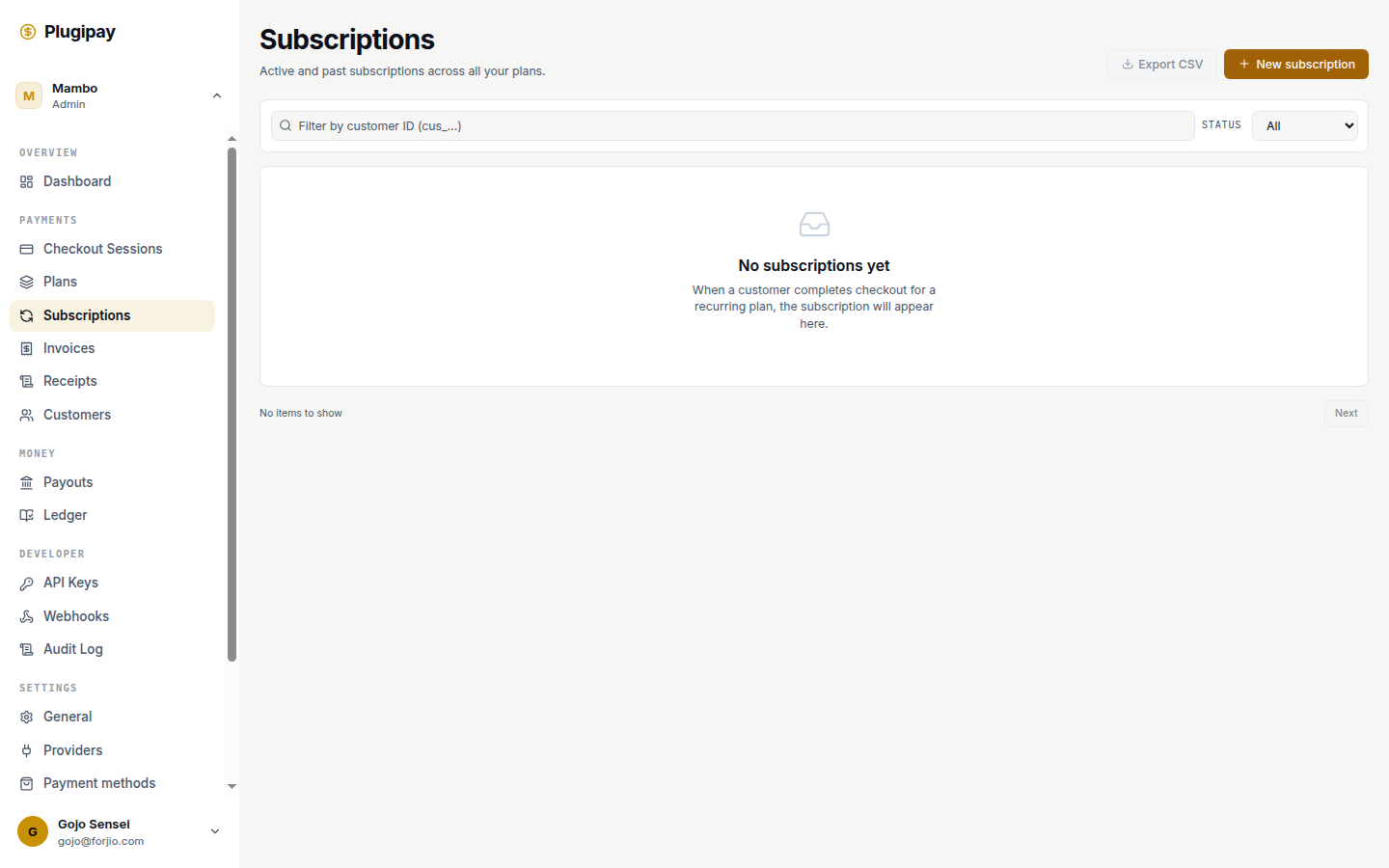
The Subscriptions page is where recurring billing lives. A subscription pairs a customer with a plan and tells Plugipay to bill that customer on the plan's schedule until someone ends it.
Plans first, subscriptions second. A subscription needs an existing plan to attach to. Start with Plans if you haven't built one yet.
What a subscription is
A subscription is the contract: this customer agrees to pay this plan's amount on this schedule. The subscription itself doesn't move money — it schedules billing. On each cycle Plugipay materializes that schedule into an invoice and charges the customer's stored payment method. Successful charges produce a payment; the period rolls forward; the cycle repeats.
The list view shows one row per subscription with customer, plan, next charge date, and status. Identifiers are prefixed sub_.
Lifecycle states
Every subscription is in exactly one state at a time. The status filter at the top of the list slices by state.
| Status | Means | Trigger |
|---|---|---|
trialing |
Customer hasn't been charged; inside the plan's free trial. | Created with a non-zero trial period. |
active |
Normal recurring billing. Last invoice paid; next one scheduled. | Trial ended with a successful first charge, or initial charge succeeded with no trial. |
past_due |
Most recent invoice failed; inside the dunning window, still retrying. | invoice.payment_failed fired and retries remain. |
paused |
Billing suspended. No invoices, no charges, no period progression. | You clicked Pause (or paused via API). |
canceled |
Terminated. No future charges. | You canceled, customer canceled via your app, or dunning exhausted retries. |
incomplete |
First charge failed before the subscription ever became active. |
Rare — usually a bad card at creation. |
Transitions are always forward except paused → active (resume) and past_due → active (retry succeeded). canceled is terminal.
Creating a subscription
Click New subscription at the top-right. Four inputs:
- Customer. Search by name, email, or
cus_ID. The customer must have a payment method on file — attach one from the customer detail page first if needed. - Plan. Dropdown of every active plan in the workspace. Currency, amount, and interval all come from the plan; you can't override them at the subscription level.
- Start date. Defaults to now. Push it into the future for contracts that start later — the subscription is created immediately but stays dormant until then.
- Trial override. If the plan has a trial, you can lengthen, shorten, or skip it for this one customer. Use sparingly — trial-length inconsistency is finance-team-unfriendly.
Click Create. If the start date is now and there's no trial, the first invoice generates and charges in the same request.
No payment method, no subscription. If the selected customer has no stored card or bank mandate, the form blocks submission. Subscriptions without a way to bill are dead weight, and creating one to "fix later" leads to silent first-cycle failures.
The detail view
Open any row to land on /dashboard/subscriptions/<id>. Two columns.
Billing schedule (left):
- Current period. Start and end of the cycle in progress. The end date is also when the next invoice is generated.
- Trial ends. Empty if no trial; otherwise the moment the customer flips from
trialingtoactive. - Cancels at. Empty unless cancellation at period end is scheduled.
- Canceled at. Empty unless already terminated.
Customer & plan (right) shows the linked cus_, plan_, and (for plans with multiple prices) price_ identifiers. Click any to jump to the related record.
The header strip displays the live status badge, creation date, and next-charge date. Past invoices and the payment method on file live on the customer's detail page — one source of truth per object.
Pausing and resuming
The Pause button stops billing without ending the contract. While paused, no invoices generate, no charges run, and the period doesn't advance. When you resume, the customer picks up where they left off — not where they would have been had billing continued.
This is the right tool for short interruptions: a customer who's traveling, a service you're not delivering this month, an account on hold during a dispute.
Pause preserves period math. A customer paused with 12 days left still has 12 days left when you resume. For a hard reset, cancel and re-create instead.
Canceling
Two ways to cancel and the difference matters.
- Cancel at period end (default) keeps the subscription
activeuntil the current period ends, then transitions tocanceled. The customer keeps access for what they've already paid for. Use this 95% of the time. - Cancel immediately transitions to
canceledright now. No further charges. No refund of the remaining period — if you owe one, issue it manually from the linked payment.
The button on the detail page toggles between these: a fresh click schedules cancellation at period end; a second click (with the cancellation already scheduled) cancels immediately. The header subtitle tells you which state you're in.
Canceled subscriptions stay in the list under the canceled filter forever — they're audit history, not garbage.
Plan changes (upgrades and downgrades)
A subscription can be moved from one plan to another from the detail page. When you swap plans, Plugipay decides how to handle the price difference for the rest of the current period — this is proration.
- Upgrade (new plan more expensive): the customer is charged a prorated amount for the remainder of the period at the new price, immediately. The next full-period charge happens at the original renewal date.
- Downgrade (new plan cheaper): the customer keeps the existing plan until period end, then renews onto the new one. No immediate refund — the credit is implicit in a lower next invoice.
If you need different mechanics — an immediate downgrade with a partial refund, say — do it as a cancel + new subscription rather than fighting the proration engine.
Changing a plan's price doesn't migrate existing subscriptions. If you edit a plan from IDR 100,000 to IDR 120,000, customers already subscribed keep paying the old price until you swap them to a new plan. Plan price is locked at the moment of subscription. This is intentional — bulk price hikes have to be explicit decisions, not side-effects of editing a plan record.
Dunning — when payment fails
When an invoice charge fails (declined card, insufficient funds, expired mandate), the subscription enters past_due and dunning starts. Plugipay retries on a fixed schedule:
| Attempt | When |
|---|---|
| 1 (initial) | At the period boundary |
| 2 | 24 hours later |
| 3 | 72 hours later |
| 4 (final) | 7 days after the initial failure |
Between retries the customer keeps access. If any retry succeeds, the subscription returns to active. If all four fail, it transitions to canceled with reason dunning_exhausted.
You'll get an invoice.payment_failed webhook on each failed attempt and a subscription.canceled webhook if dunning exhausts. Wire those into your app to surface a "fix your payment method" banner — that single piece of UX recovers more revenue than anything else you can build around subscriptions.
Subscription webhooks
The events you'll most likely subscribe to:
| Event | Fires when |
|---|---|
subscription.created |
A new subscription is provisioned (immediately or at the scheduled start date). |
subscription.trial_will_end |
Three days before a trial ends — prompt to email the customer. |
subscription.updated |
Plan changed, paused, resumed, or cancellation scheduled. |
subscription.canceled |
Terminated, whether by you or by dunning. |
invoice.paid |
A cycle was successfully billed. |
invoice.payment_failed |
A cycle charge failed; dunning has started or is continuing. |
Full event catalog and signature scheme: API → Webhooks.
Common pitfalls
- Editing a plan's price doesn't migrate existing subscribers (see callout above). To move everyone onto the new price, swap each subscription onto a new plan.
- Currency mismatches. A customer's payment method has an implicit currency support set (cards usually any, local rails usually IDR). Attaching a USD plan to a customer whose only payment method is an Indonesian e-wallet fails at first charge, not at subscription creation. Verify currency support when you onboard payment methods.
- Payment method expiration. Cards expire. Plugipay surfaces upcoming expiration on the customer page, but the subscription has no way to know in advance — the first post-expiry charge triggers dunning. Use the
payment_method.expiring_soonwebhook (30 days before expiry) to email customers ahead of time. - Backdated start dates are rejected. To record a subscription that's been running externally, create it with a present start date and reconcile historical invoices separately.
- Reusing a canceled subscription. Don't. Create a new one — canceled subscriptions are immutable audit records, and resurrection breaks reporting and webhook consumers that already saw the
canceledevent.
Next
- Plans — the recurring offers subscriptions attach to.
- Invoices — the per-cycle billing records.
- Customers — where payment methods are managed.
- API → Webhooks — the full event catalog and signing scheme.