Customers
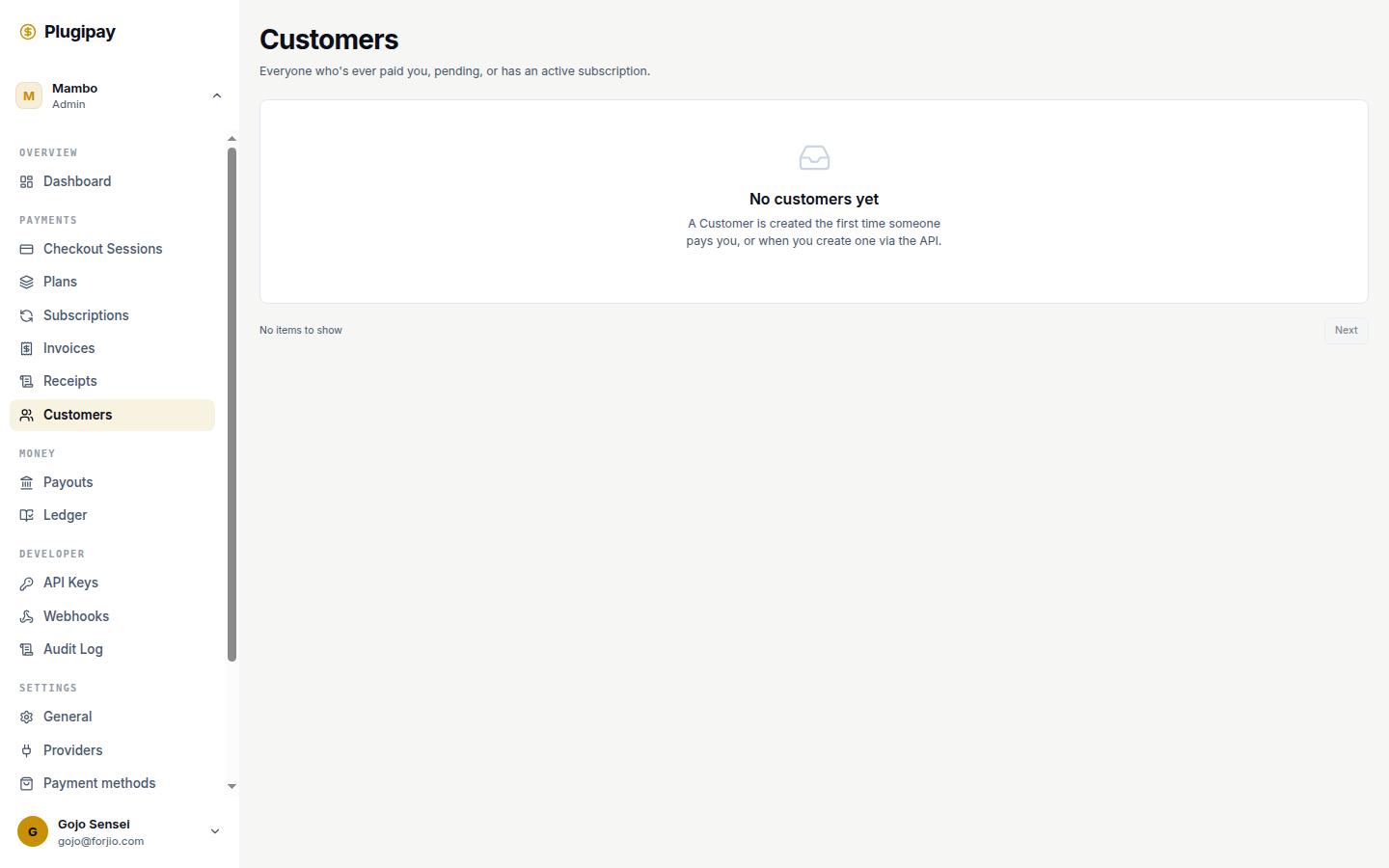
A customer is a persistent record of someone who can pay you. The Customers page is the address book that sits underneath every payment, subscription, and invoice in your workspace — browse it, open a single customer to see their history, edit details.
You don't have to create a customer to take money — a guest checkout works fine. But the moment you want to charge the same person twice, store a card for a subscription, or send a follow-up receipt, a customer record keeps those payments hanging off one identity instead of floating around orphaned.
Rule of thumb. If someone is going to pay you more than once, give them a customer record the first time. They're free, they don't expire, and you can ignore them later.
What a customer holds
Every customer has the same shape, whether you create them from the portal or the API:
| Field | What it's for |
|---|---|
id |
Plugipay-assigned, looks like cus_01H…. Stable forever. |
externalId |
Your own ID for the same person — e.g. your CRM's user_id. Unique per workspace. |
email |
Primary contact. Used on receipts and as a soft duplicate hint. |
name |
Display name on receipts and the dashboard. |
phone |
Optional. Used by some providers (e-wallets, OVO, GoPay) to look up the account. |
taxId |
NPWP / VAT number. Appears on invoices when set. |
defaultPaymentTokenId |
The stored card or e-wallet to charge by default. |
metadata |
Up to 50 key-value string pairs of your own data. |
Identifiers carry their type as a prefix — see Concepts → Identifiers for the full list.
The list view
From the dashboard sidebar, click Customers. You'll land at /dashboard/customers.
The header reads "Everyone who's ever paid you, pending, or has an active subscription." Both customers you've created manually and customers auto-created by a checkout flow show up here.
Columns
- Customer — generated avatar (initials of name or email) plus display name. If no name is set, the
cus_…ID stands in. - Email — primary email, or an em-dash if blank.
- External ID — your own ID for the customer, if you set one.
- Created — short date stamp.
Filtering and search
The list supports filtering by exact email via the ?email= query parameter — for example, /dashboard/customers?email=alice@example.com. We use this for deep-links from other portal pages.
A full search bar with fuzzy matching, sort controls, and date-range picker isn't in the portal yet. To find a customer by partial email, name, or externalId, use the API:
curl https://api.plugipay.com/v1/customers \
  -u sk_live_xxx: \
  --data-urlencode 'email=alice@example.com'
See API → Customers for the full query surface.
Pagination
The list shows 50 customers per page and paginates with a cursor (not page numbers). The footer has Next when another page is available and First page to jump back. The cursor lives in the URL, so bookmarks resume where you left off.
Creating a customer
Not currently in the portal. A "New customer" button and manual form are on the roadmap but not shipped. For now, customers arrive via auto-creation or the API.
Two paths today:
- Auto-creation through checkout. When a checkout session completes for a fresh email, Plugipay creates the customer record automatically — the address book fills itself.
- API call. For existing lists (a previous processor or your CRM), POST each record to
/v1/customers. See API → Customers → Create.
Customer detail page
The detail page (history, edit, tabs for payments / subscriptions / invoices) is not currently in the portal. The data is all there via the API; the dedicated UI page is queued.
When it ships it will include a header (name, email, lifetime revenue, customer-since), tabs for Payments, Subscriptions, and Invoices, a Metadata panel, plus edit and archive actions. Until then, combine GET /v1/customers/{id} with GET /v1/payments?customerId=… and GET /v1/subscriptions?customerId=… to assemble the same view.
Editing a customer
Edits happen via PATCH /v1/customers/{id} today. Every field except id is updateable. Updates are idempotent — pass an Idempotency-Key header to make retries safe. Inline edits will land with the detail page.
Metadata
Every customer carries an optional metadata map — up to 50 key-value pairs, with string values. Use it for anything Plugipay doesn't have a column for:
{
  "metadata": {
    "crm_id": "contact_19823",
    "segment": "enterprise",
    "signup_campaign": "spring-2026",
    "referrer": "yc-batch"
  }
}
Three things to know:
- Metadata is not searchable from the portal. It's stored, it's returned, but you can't filter on it. If you need queryable custom fields, lift them into your own database and reference the customer by
idorexternalId. - Metadata is opaque to webhooks. We pass it through unchanged in event payloads, so downstream systems can read it.
- Setting
metadatatonullon update wipes the map. To remove a single key, send the whole map back with that key omitted.
Imports and exports (CSV)
CSV import and export are not currently in the portal. Until they ship, use the API:
# Export via the list endpoint + jq
curl -s https://api.plugipay.com/v1/customers?limit=100 \
  -u sk_live_xxx: \
  | jq -r '.data[] | [.id, .email, .name, .externalId] | @csv' \
  > customers.csv
For bulk import, batch records into POST /v1/customers calls. The Node and JS SDKs include customers.bulkCreate(items) helpers that batch with retry handling.
Common tasks
Find a customer
For an exact email match, use the URL query parameter:
/dashboard/customers?email=alice@example.com
For partial matches, name search, or externalId lookup, fall back to the API for now (see above).
Merge duplicates
Not currently in the portal — or the API. Merging two customer records isn't supported anywhere in Plugipay yet. The safe workaround: PATCH the canonical customer with the right details, then PATCH the duplicate's externalId to something archival like merged-into-cus_01H…. Payments stay on whichever customer they were created against — we don't move them.
If you need true merge semantics (move payments, dedupe stored cards), let us know — it's on the backlog.
Archive
Not currently in the portal. There's no archive flag or soft-delete; customers stay in the list forever. Workaround: set metadata.archived = "true" and filter client-side, or tag retired records via externalId.
Common pitfalls
Email uniqueness
Plugipay does not enforce email uniqueness on customers. You can have two customers with the same email — some businesses serve multiple legal entities through one inbox. Email is a soft hint, never a hard key.
To enforce uniqueness yourself, list by email before POST /v1/customers and skip the create on match.
externalId is unique per workspace — a duplicate fails with 409 Conflict. Use it as your dedupe key.
GDPR delete
There's no DELETE /v1/customers/{id}. Hard delete would cascade dangerously through payments, invoices, and refunds, so we don't expose it.
For an erasure request:
- PATCH the customer to clear
email,name, andphone. - Strip identifying values from
metadata. - Email support@plugipay.com with the customer ID. We run a backend redaction job that scrubs the same fields from related payments, invoices, and webhook payloads.
The customer record stays as a tombstone (it has to, to keep historical payments queryable) but carries no personal data afterwards.
Auto-created customers without names
A customer auto-created by a guest checkout often starts with just an email. They show up in the list with cus_… as the display name. PATCH a real name on them the next time you interact — receipts look much better with one.
See also
- Concepts → Customer — the data model in detail.
- Portal → Payments — the page that links into a customer's payment history.
- Portal → Subscriptions — recurring billing tied to a customer.
- API → Customers — create, list, fetch, update.
- SDK → Node → customers — the typed Node helper, including
bulkCreate.
Next
- Checkout sessions — how a customer pays you the first time.
- Subscriptions — how a customer pays you on a schedule.
- Webhooks — how your systems learn that a customer paid.