Settings
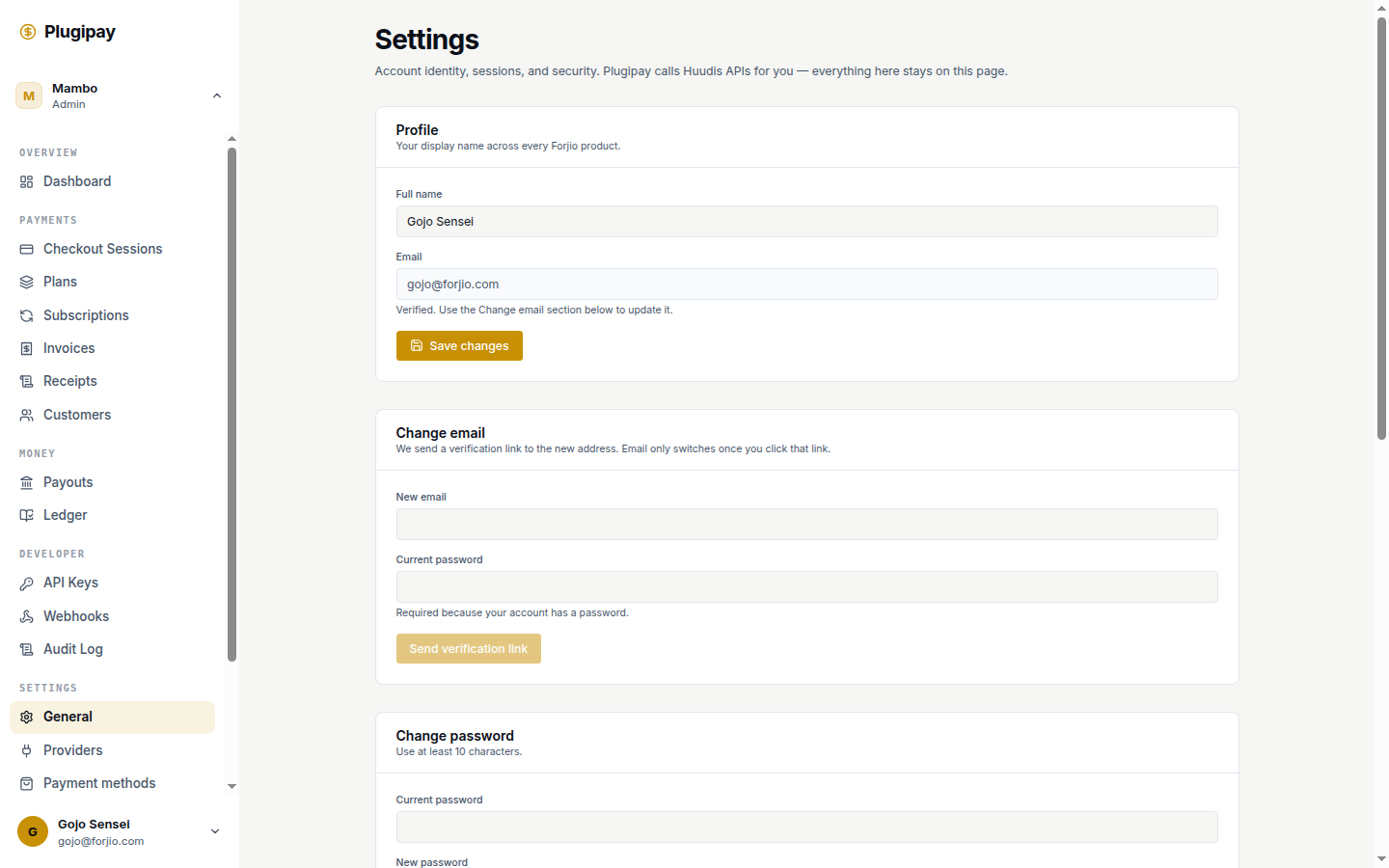
Settings is where you configure who your business is, how money moves into it, and how customers see Plugipay-rendered pages. It's also the launch pad for the technical tabs — webhooks, API keys, team — which have their own docs.
This page is the umbrella. Each H2 below maps to a tab in Dashboard → Settings. Tabs with richer docs elsewhere get a short summary here plus a link.
Settings are workspace-scoped. Every change on this page applies to the workspace you're currently in. Switch workspaces in the top-left chip before editing if you maintain more than one.
Overview
| Tab | What it controls |
|---|---|
| Business | Legal name, address, tax ID, brand assets — flows into checkout, receipts, invoices. |
| Providers | Which payment provider (managed, BYO Xendit, Midtrans, PayPal, manual) is connected. |
| Payment methods | Which methods (cards, VA, e-wallet, QRIS, retail) appear at checkout, and which provider handles each. |
| Templates | Checkout skins, receipt templates, invoice templates — with live preview. |
| Security | MFA, active sessions, linked Huudis accounts, sign out everywhere. |
| Notifications | Email digests, per-event alerts, Slack integration. |
| Webhooks | HTTP endpoints that receive event payloads. |
| API keys | HMAC keys for server-to-server access. |
| Team | Workspace members and roles. |
| Compliance & data | Data export, data subject requests, workspace deletion. |
Business
The Business tab is the single source of truth for who you are as a merchant. Templates read from it; you don't re-enter your address into every receipt template.
Brand
- Business name — appears at the top of the checkout page and on documents.
- Logo — PNG, JPG, WebP, or SVG, up to 2 MB. Square crops work best across receipt sizes. Drag-and-drop or click to upload.
- Accent color — the hex used for pay buttons, the highlight on the selected method, and document totals. Templates can override per template.
- Small-print tagline — the line at the bottom of the checkout page. Defaults to Secure checkout powered by Plugipay.
Contact details
Phone, email, address — shown on receipts and invoices when the template's Show business details toggle is on. The contact email is also the default reply-to on receipt emails. NPWP / Tax ID is the Indonesian tax identifier (or your country's equivalent) and renders on invoices for B2B customers who need it to claim VAT.
KYC documents
Managed-mode workspaces require KYC before live payments process. Upload business registration (NIB, SIUP, or Akta Pendirian), ID of the principal (KTP or passport), and three months of bank statements for the payout account. Reviewed within two business days; until then, test mode only. BYO workspaces skip this — KYC happens on the upstream provider.
Providers
The Providers tab connects and disconnects payment provider accounts. Each provider is a separate adapter; you can connect more than one and let Payment methods decide who handles what.
Available adapters: Plugipay managed (zero setup, recommended for new workspaces), BYO Xendit (paste your secret key), BYO Midtrans (Server Key + Client Key + Merchant ID), BYO PayPal (OAuth credentials, USD only), and Offline & manual (no PSP — for cash, bank transfer, EDC).
Setup steps, KYB requirements, and supported methods per adapter live in their own pages: managed, Xendit, Midtrans, PayPal. The Providers tab itself only connects, tests, rotates keys, and disconnects — method enablement and routing happen on the Payment methods tab.
Payment methods
The Payment methods tab bridges the providers you've connected and the methods your customers see on hosted checkout. Three things happen here:
- Enable / disable — tick a method to expose it. Methods with no connected provider are grayed out with the hint No connected provider supports this.
- Reorder — arrow buttons set the order methods appear at checkout. Most customers pick the top option, so put your cheapest or most popular first.
- Pick a provider per method — if multiple providers can process a method (e.g., QRIS via managed and BYO Xendit), a dropdown chooses which one handles it.
Method groups: QR payments (QRIS), E-wallets (OVO, DANA, GoPay, ShopeePay, LinkAja), Virtual accounts (BCA, Mandiri, BNI, BRI, Permata, CIMB), Cards (Visa, MC, JCB, AmEx), Retail outlets (Alfamart, Indomaret), Pay later (Kredivo, Akulaku — BYO Xendit only), PayPal (USD), and Offline & manual (bank transfer, cash, EDC).
If you want a method but no provider supports it yet, head back to Providers and connect one that does.
Templates
Templates control the look of three things: hosted checkout, receipts, and invoices. Each kind has its own list of templates; flip the default in one click.
Checkout templates
Accent color override, success-message copy, footer tagline override, Show business details toggle. Inherits everything from the Business tab unless overridden.
Receipt templates
Thank-you copy, optional footer text, tax label (PPN by default) + rate, Show business details toggle, optional cashier label for in-store receipts. Renders both the email PDF and the in-portal HTML view.
Invoice templates
Terms text, footer text, tax label + rate, Show business details toggle. Invoices are immutable snapshots once issued — editing a template doesn't rewrite already-sent invoices.
Live preview & workflow
The editor renders against sample data and updates as you type (debounced at 300 ms). A mistake in the live template? Keep an old one around and flip the default back — templates are versionless, the default flag is the only live binding.
Security
- MFA — TOTP and WebAuthn enrolment. Managed by Huudis; this tab deep-links to the Huudis security page with a redirect back.
- Active sessions — every browser you're signed in on, with last-seen and IP. Revoke individually or Sign out all others in one click.
- Linked Huudis accounts — Google or Apple identities connected to your Huudis account. Disconnect any.
- Sign out of all products — revokes the Huudis session everywhere (Plugipay, Storlaunch, every other Forjio product).
- IP allowlists — restrict portal access to specific IPs or CIDR ranges. Workspace-wide. Enterprise tier.
See Authentication overview for how the session cookie itself works.
Notifications
What triggers an alert, and where it goes.
- Per-event email alerts — payment succeeded/failed, dispute opened, payout sent, subscription past_due. Pick per member, not per workspace.
- Daily digest — one summary email at a chosen local time, with payment volume and exceptions.
- Weekly summary — payout reconciliation, top customers, top failures.
- Slack integration — pipe the same events to Slack via incoming webhook. One channel per event class.
Notifications are for humans, webhooks are for systems.
Webhooks
HTTP endpoints that receive event payloads, with signed bodies, retry policy, and replay tooling.
See Webhooks for the full setup, signature verification, and replay workflow.
API keys
HMAC-signed keys for server-to-server API access. Mint, rotate, and scope keys to specific resources.
See API keys for the create / rotate / revoke flow and security guidance.
Team
Members, roles, and invitations live under Workspaces → Members, not Settings. The Settings tab links to it.
See Workspaces for the role matrix and invitation flow.
Compliance & data
- Export workspace data — ZIP of every customer, payment, refund, invoice, and audit-log row as JSON + CSV. Signed download link within ~15 minutes for typical workspaces.
- Data subject requests — respond to GDPR (or UU PDP) requests for a specific customer: export their data, or right-to-be-forgotten erasure (which redacts PII but keeps the immutable financial record).
- Audit log — every settings change, role grant, key creation, and webhook edit recorded with actor, IP, and before/after diff. Included in the workspace export.
- Delete workspace — permanent. Requires no open payouts, no active subscriptions, and typing the workspace slug to confirm. Transaction records are retained 7 years per Indonesian regulation; everything else purges within 30 days.
Next
- Providers → Managed — the default mode.
- Webhooks — event delivery setup.
- API keys — server-to-server auth.
- Workspaces — team members and roles.
- Authentication overview — how Plugipay knows it's you.