API keys
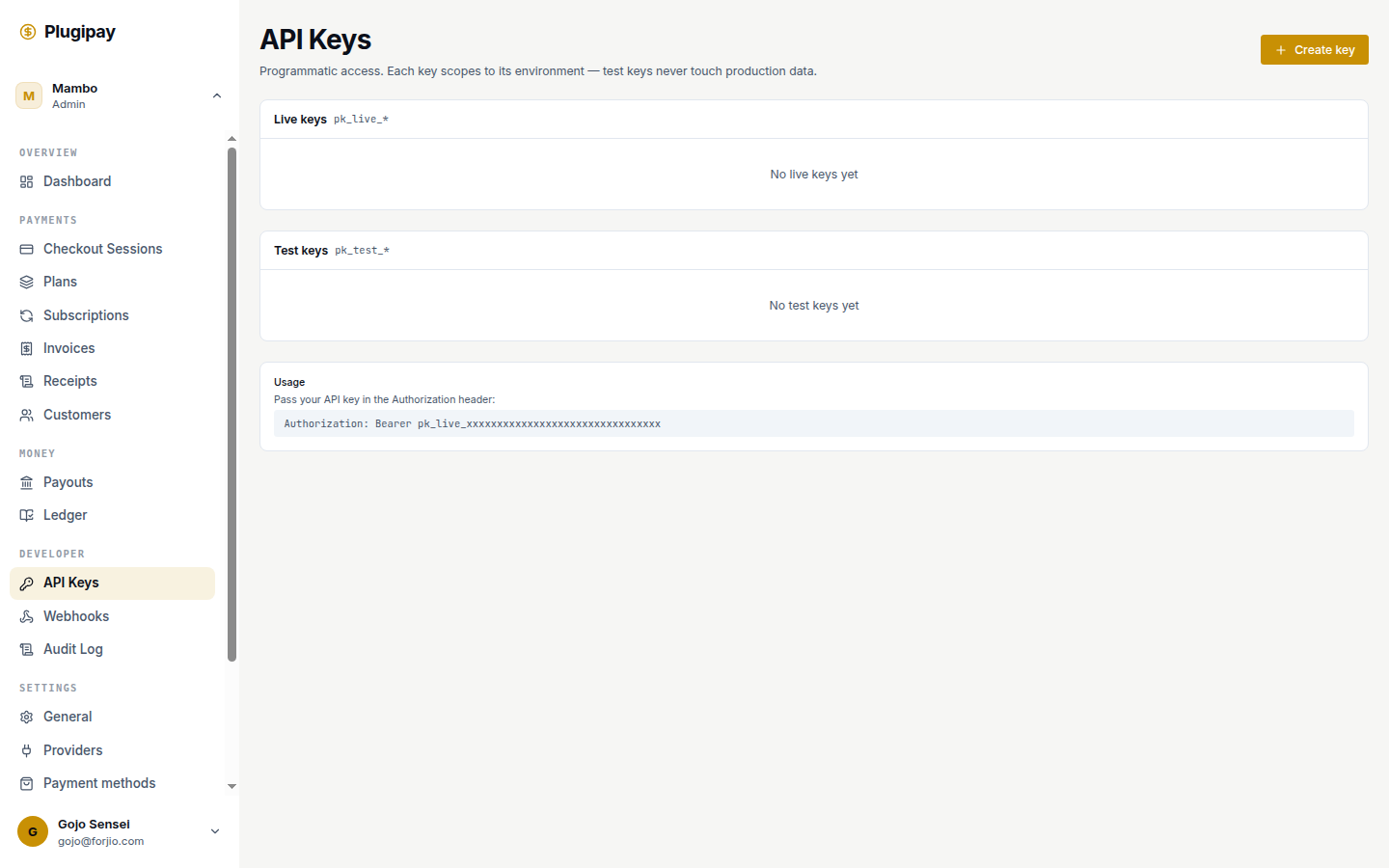
An API key is how a server, script, or CLI authenticates to Plugipay — no browser sign-in required. If the portal session cookie is how you authenticate, an API key is how your code does.
Keys live at Dashboard → Settings → API keys. The signing recipe is in API authentication; this page covers the portal.
Keys are workspace-scoped. Every key belongs to exactly one workspace. Switching workspaces in the dashboard doesn't switch which keys are valid — the key carries the workspace with it.
What a key actually is
Every key is a pair:
- Access key ID — the public identifier, e.g.
pk_test_AKIAxxxxxxxxxx. Safe to log. - Secret access key — the secret half, e.g.
sk_test_xxxxxxxxxxxxxxxxxxxxxxxx. Never log, never commit.
Your code never sends the secret over the wire. It computes an HMAC-SHA256 signature of the request using the secret, and sends the signature in a header. Plugipay replays the same computation with its copy and compares. A leaked signature is useless on its own — the 5-minute timestamp window kills replay attacks, and the secret never leaves your server.
Test keys vs. live keys
Every key belongs to one environment, and the prefix tells you which:
| Prefix | Environment | What it touches |
|---|---|---|
pk_test_ / sk_test_ |
Test | Sandbox data. No real money. Free. |
pk_live_ / sk_live_ |
Live | Production. Real charges, payouts, customers. |
The two environments are fully isolated — a test key can't see live customers and vice versa. There's no "promote test to live"; mint a new key. The dashboard renders the pools as separate sections (Live keys above Test keys).
Creating a key
- Open Dashboard → Settings → API keys.
- Click Create key in the top-right.
- Fill in:
- Key name — a human label like
Production serverorCI — GitHub Actions. Shown in the list view and audit log; make it specific enough to identify which machine is using it. - Environment —
Test (sandbox)orLive (production). Locks in the prefix. - Role — see below.
- Key name — a human label like
- Click Create key. The dialog reveals the secret exactly once.
Roles
A role decides what the key can do. Pick the narrowest one that works:
| Role | What it can do | Use it for |
|---|---|---|
full_access |
Every endpoint, every resource. | Trusted backend servers under your control. |
read_only |
All GET endpoints. No writes. |
Reporting jobs, dashboards, BI exports. |
webhook_management_only |
Read/write webhook endpoints. Nothing else. | A service that registers webhook URLs at deploy time. |
restricted |
Custom scope you pick. | One-off integrations, third-party tools you don't fully trust. |
You can't widen a role after creation — mint a new key and revoke the old one. Don't reach for full_access by default: a compromised read-only job is a leak; a compromised full-access job is an incident.
The "secret shown once" model
After Create key, Plugipay reveals the full secret in a yellow panel with eye/copy buttons. This is the only moment you'll ever see it — we store a one-way hash, so we can verify a signature you compute but can't reveal the secret to you or to ourselves.
If you close the dialog without copying, the access key ID still exists but the secret is gone. Revoke it and mint a new one. Paste the secret straight into a secrets manager, a gitignored .env, or the CLI prompt from plugipay auth login.
The key list view
Each environment lists its keys with:
- Name — what you typed when creating it.
- Prefix — e.g.
pk_live_AKIA…. Identifies the key in logs without revealing the secret. - Created — when you minted it.
- Last used — the most recent timestamp Plugipay saw a signed request. Never used (in amber) usually means nobody picked the key up after rotation.
Last used updates within seconds — the fastest way to confirm a freshly-deployed service is actually authenticating with the key you handed it.
Revoking a key
Click the trash icon, confirm the prompt, and the key is gone. Revocation propagates server-side within a few seconds — any request signed with that key starts returning 401 invalid_key almost immediately. No grace period, no soft-delete.
Revoking is irreversible. If you revoke a key your production server still needs, that server fails within seconds. Always mint and verify the replacement before revoking the old key.
Best practices
- One key per machine or environment. Don't share across staging, your laptop, and CI — if one leaks you can revoke just that one.
- Name keys after where they live.
Production server,staging-worker-01. Notkey-1. - Rotate quarterly. We don't auto-expire — set a calendar reminder.
- Narrowest role that works. Most reporting jobs need
read_only, notfull_access. - Never commit secrets. Use a secrets manager or a gitignored
.env. - List as inventory. If a key shows Never used for 60+ days, revoke it.
Spotting unusual activity
Two places to look. First, the key list's Last used column — a key that wakes up after months of dormancy, or one used from a retired job, is worth investigating. Second, the audit log: every authenticated call is keyed by the access key ID that signed it. Filter by apiKeyId to see what a key has been doing, when, and from which IP. If something looks off, revoke first and investigate after — a legitimate key takes one minute to re-mint.
What to do if a key leaks
- Revoke the key. Stop the bleeding first.
- Audit the blast radius. Filter the audit log by the leaked key's prefix. Look for charges, refunds, customer reads, or webhook changes you didn't initiate.
- Mint a replacement with the same role and deploy it.
- Notify anyone affected if the audit log shows exploitation.
If you can't tell whether a key leaked, rotate it anyway.
Using a key from code
- CLI. Run
plugipay auth loginand paste the pair. See CLI authentication. - SDKs. Set
PLUGIPAY_API_KEY="pk_live_…:sk_live_…". See SDKs. - Direct HTTP. Sign each request with HMAC-SHA256. See API authentication.
Common pitfalls
- Mixing test and live keys. A test key in live returns
401; a live key in test moves real money. Grep your config forpk_test_vspk_live_before deploying. - Sharing one key across services. Tidy until one is compromised and you have to revoke the key everyone uses.
- No rotation schedule. A key minted by an engineer who has since left is a liability.
- Committing
.envfiles. The single most common leak vector. - Logging the
Authorizationheader. Many middlewares log full requests. Filter at the logger.
Next
- API authentication — HMAC signing recipe and worked examples.
- CLI authentication — using a key from the
plugipayCLI. - SDKs — reading a key from environment variables.
- Audit log — who used which key, when, and from where.
- Webhooks — pair
webhook_management_onlykeys with signed delivery.